

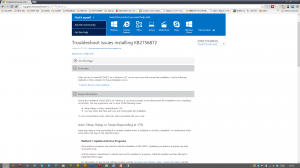
 I've already encountered problems after updating to Windows 8!
Installing the "Update for Windows 8 for x64-Based Systems (KB2756872)" causes the "All apps" (equivalent to "All Programs" in Windows 7) to completely disappear. This is a real problem!
The cause appears to be a conflict between the vendor's program and KB2756872.
These could be various things, such as Epson printer drivers, Kaspersky antivirus software, or sound drivers.
Microsoft's support team has published a solution to this issue (as of November 5, 2012).
① Update the database of your antivirus software,
② Uninstall and reinstall the audio and video drivers,
③ Simply log off your account and log back in.
It seems that this is the solution, but in the case of Epson printer drivers, this doesn't actually fix the problem. It's very inconvenient when "All Apps" doesn't appear.
Upon investigation, I found that on the Microsoft Community,For now, a solutionI found it!
The method is,
① Try uninstalling KB2756872.
→ Check if "All apps" is displayed.
② If that doesn't work, try uninstalling only the "Epson Event Manager" driver from Epson's printer drivers.
③ Restart the device.
④ Restart it one more time.
→At this time, the OS is updated both when the OS shuts down and when it starts up.
Then, "All Apps" will be displayed correctly.
It seems Microsoft hasn't officially supported it yet. It's probably still wise for most people to hold off on using Windows 8 for now.