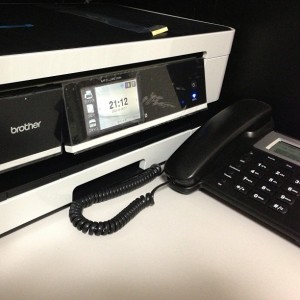
 The low-standby-power Brother fax-equipped all-in-one printer (MFC-J4510N) that I ordered via Amazon's expedited shipping around midnight arrived around 9 PM today. I'm once again impressed by this logistics system that allows items to arrive the same day they're ordered. And I think I'm becoming addicted!
I immediately set it up. I routed the fax through an IPPBX and OBi so that it could receive faxes from both my Japanese and American fax numbers.
I have a Japanese fax number (050) obtained through Fusion IP-Phone Smart, and a US fax number (408 area code number for Silicon Valley, CA) using Google Voice. Receiving faxes is completely free for both. When sending faxes, the Japanese 050 number incurs Fusion's standard rates (8.4 yen/30 seconds). Sending faxes to the US and Canada is also free for the US 408 number. The Japanese number is quite expensive, but since I mainly use the fax machine for receiving faxes, I don't worry about it too much. I can send faxes and make phone calls to the US as much as I want without worrying about the charges at all. There are no additional fees such as phone number maintenance fees for either number.
 I immediately performed a reception test. First, I sent a fax to a Japanese 050 number. It was received without any problems. Or rather, that's to be expected... But, surprisingly, it's not that obvious. 050 numbers are internet phone numbers, and the communication method is VoIP, so there are times when reception doesn't work properly. However, the OBi connected to the fax machine also supports fax, so it was received without any problems.
 Next, I tried calling a US 408 number. This also worked perfectly fine. ...Well, since this is also a VoIP call, it's only natural, given the logic above.
Even though I thought "nobody uses fax machines these days," that's not actually the case. Analog communication methods are still the mainstream. Just because we don't use them doesn't mean we don't need them.
The Brother printer I recently purchased is slim in size yet highly functional, capable of A3 printing. Features like the ability to view received faxes on the monitor without printing, print only what's necessary, or view them on a PC and convert them to PDF save ink and paper. It also has a feature that calls you when a fax is received. I've set this up to call my iPhone via IPPBX. This might be useful for confirming when a client says, "I'll send you a fax," while I'm out. Since it's an internal call, there are no phone charges.
While the output—the fax machine—is analog, digitizing the process leading up to it can save costs and make things more convenient.