
Mac OS X 10.11 (El Capitan) introduces a security integrity protection feature called Rootless (SIP: System Integrity Protection). This can restrict access to certain directories even with administrator privileges (root), potentially preventing command-line related operations.
Drupal's command-line tool, "Drush," is one such example, which is why I've been hesitant to update my Mac to El Capitan for the past few months. (It took me two days of agonizing over installing Drush, and to make matters worse, I don't have a clear understanding of why it installed successfully.)
However, with the recent update to iOS 9.3, it became necessary to update Xcode, the integrated development environment for Mac, to version 7.3. This necessitated updating Mac OS to El Capitan, and I finally got around to doing it. I also had to do the same thing on my other Mac, so I decided to write down the procedure as a memo for myself as well.
From this point onward, the process will require updating your Mac's OS to version 10.11 (El Capitan).
① Reboot your Mac. During startup, hold down [⌘] + [R] until the startup progress bar starts moving.
② From the menu bar, launch Utilities > Terminal and enter the following command.
-bash-3.2# csrutil disable
-bash-3.2# reboot
The Mac will reboot, and Rootless will be disabled.
③ Update the library. Restart Terminal and enter the following command.
$ sudo gem update
④ Install the PHP library management tool "Composer".
$ brew update
$ brew tap homebrew/homebrew-php
$ brew tap homebrew/dupes
$ brew tap homebrew/versions
$ brew install php55-intl
$ brew install homebrew/php/composer
⑤ Install Drush.
$ composer global require drush/drush:7.*
⑥ Add the following line to ~/.bash_profile to set the path.
PATH="~/.composer/vendor/bin:$PATH"
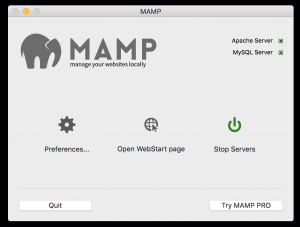
⑦ Start MAMP. If you encounter errors such as Apache failing to start due to dependency issues, uninstall and reinstall the application.
⑧ Change directory to the Drupal working directory and run `drush ogrd`.
⑨ When running drush ogrd, if the following error occurs,
Additional uncaught exception thrown while handling exception.
Original
PDOException: SQLSTATE[HY000] [2002] Socket operation on non-socket
in drupal_is_denied() (line **** of /Users/*****/*****/*****/*****/includes/bootstrap.inc).
Additional
PDOException: SQLSTATE[HY000] [2002] Socket operation on non-socket
in _registry_check_code() (line **** of /Users/*****/*****/*****/*****/includes/bootstrap.inc).
Drush command terminated abnormally due to an unrecoverable error.   [error]
The mysql.sock link needs to be reconfigured. First, find the location of mysql.sock.
$ mysqladmin variables | grep mysql.sock
| socket      | /Applications/MAMP/tmp/mysql/mysql.sock      |
Set a link to that location.
$ cd /var
$ sudo mkdir mysql
$ cd mysql
$ sudo ln -s /Applications/MAMP/tmp/mysql/mysql.sock
That concludes the explanation.