
The last update was July 2020 So, I realized it's been quite a while. Development and operations continued even though I wasn't writing, but I just didn't have the time to summarize it on the blog. Right now, there's been a string of serious PHP vulnerabilities and related security information coming out, and there's a strong sense of needing to review everything, including the runtime environment of the development machine. I've also taken stock of my own environment, so I'm taking this opportunity to resume writing, in order to document the process.
In October 2026, as an out-of-bounds write for the Brotli decoder CVE-2026-111497 This became a hot topic. The affected versions are Brotli 1.0.3 to 1.2.0. For Node.js, versions 22.23.4, 24.22.1, and 26.12.1 and later are the corrected versions.
Upon checking my own environment, I found that my public server (CentOS Stream 9 + Apache + PHP-FPM) did not have Node.js installed, and was not on a typical high-risk path. On the other hand, my Mac (M2) has Node.js installed. v22.14.0(Built-in Brotli 1.1.0) and Homebrew Brotli 1.2.0 This was the case. The situation was such that the local server needed to be fixed before the public server.
Incidentally, I also checked PHP, and it seems to be the so-called php2shell (CVE-2026-109618 / CVE-2026-109619Regarding this issue, Homebrew's PHP version 8.5.12 has already been fixed. However, the PHP included with MAMP remained outdated. Since it is sometimes temporarily released via ngrok, this has also been addressed.
So, I'll show you the steps I actually took on my Mac locally.
environment
- Mac (M2 / Apple Silicon)
- macOS 27.x
- Homebrew
- MAMP (free version) 7.4
- Before update: Node.js 22.14.0, brotli 1.2.0, MAMP bundled PHP uncorrected.
- After update: Node.js 24.22.1, brotli 1.2.1MAMP instance PHP 8.5.12
1. CVE-2026-111497 — Update Node.js using the official installer.
Since I originally installed it using the official .pkg file, it's quickest to overwrite it using the same method.
① https://nodejs.org/en Open it.
② For everyday use LTS Choose (as of the time of this article) v24.22.1)。
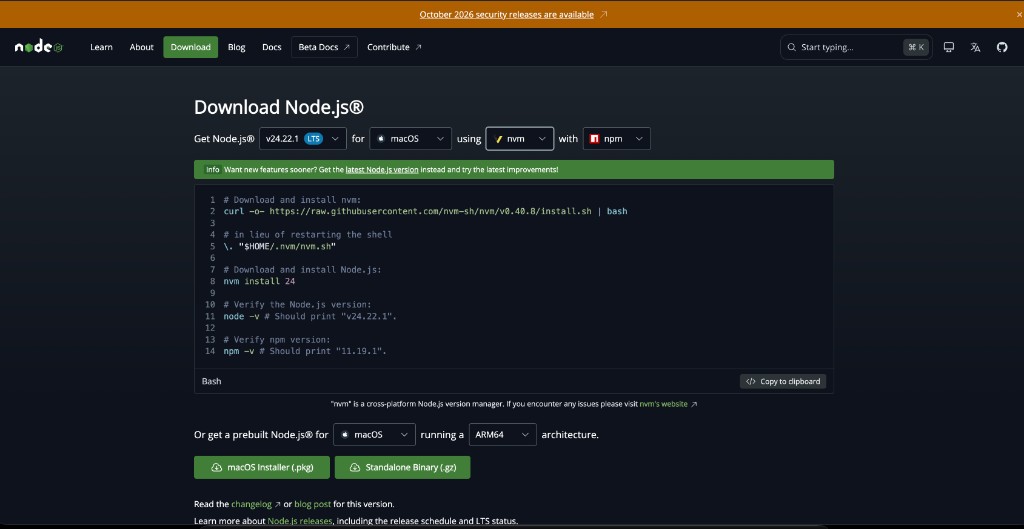
③ Not the Version / OS / Method at the top of the page, but a little further down “Or get a prebuilt Node.js® for…” Look at it.
- OS: macOS
- architecture: ARM64(Apple Silicon / M2)
- format: macOS Installer (.pkg)
* Don't worry if the Method at the top is set to nvm. For Method A (official pkg), you don't need to use that command; simply downloading the .pkg file is sufficient.
④ Open the downloaded .pkg file, then click Continue → Agree → Install. Enter your administrator password.
⑤ After installation is complete,New terminalOpen it and check.
$ node -v
$ npm -v
$ which node
$ node -p "process.versions.brotli"
⑥ In my environment, it was as follows:
v24.22.1
11.19.1
/usr/local/bin/node
1.2.0
process.versions.brotli が 1.2.0 It's fine to leave it as is. Node 24.22.1 incorporates the fixes but doesn't increment the version number of the built-in Brotli. The important thing is Node version 24.22.1 or higherBeing.
2. Change Homebrew's brotli to version 1.2.1
If you also have a version of brotli installed via Homebrew in addition to the one built into Node, please upload that as well.
$ brew upgrade brotli
$ brew list --versions brotli
① Execute.
brotli 1.2.1
② Version 1.2.1 is OK. If it's already the latest version... Warning: brotli X.X.X already installed And that's the end.
This completes the local response for CVE-2026-111497.
3. Checking for PHP vulnerabilities (php2shell and upload_progress)
While I was at it with Brotli, I also checked PHP on the same Mac. The patched version for the critical vulnerability (the so-called php2shell) that was disclosed around October 21, 2026 is as follows:
- 8.5.12 / 8.4.27 / 8.3.36 / 8.2.35
$ which php
$ php -v
① on PATH phpCheck (Homebrew).
/opt/homebrew/bin/php
PHP 8.5.12 (cli) ...
② Homebrew has already fixed the issue. On the other hand, the MAMP bundled at the time included versions such as 8.5.0 / 8.4.15 / 8.3.28.uncensoredThat was the case.
In addition, as a temporary workaround for another issue (related to upload_progress) that only occurs in rare configurations, the official PHP documentation recommends the following:
session.upload_progress.enabled=0
③ Edit the php.ini file in Homebrew.
$ nano /opt/homebrew/etc/php/8.5/php.ini
④ Turn the corresponding row Off (add it if it doesn't exist).
session.upload_progress.enabled = Off
⑤ Confirm that the changes have been reflected.
$ php -i | grep upload_progress.enabled
session.upload_progress.enabled => Off => Off
Since it's CLI PHP, a service restart is not necessary.
4. Update MAMP to version 7.4 and use the corrected PHP.
The free version of MAMP does not include the corrected version of php2shell (8.5.12, etc.) at the time of writing. A practical alternative to purchasing additional PHP for MAMP PRO is...Insert Homebrew's PHP 8.5.12 into a folder name that MAMP recognizes.I made it happen.
Simply being connected to the internet doesn't automatically mean you're in danger. The moment I started Apache on MAMPThis means that vulnerable PHP will start running for web use. If you're using ngrok, it's safer to update it.
① Reinstall MAMP 7.4 from the official website (installing it over an existing installation is fine).
② Check the location of the included PHP file.
$ ls /Applications/MAMP/bin/php/
php7.3.33
php7.4.33
php8.3.30
php8.4.17
php8.5.2
...
③ Versions that can be selected in the free version UI (Example: 8.3.30)of bin Replace it with Homebrew's PHP. Make a backup before doing so.
$ PHPDIR=/Applications/MAMP/bin/php/php8.3.30
$ BREWPHP=$(brew --prefix php)

$ mkdir -p "$PHPDIR/bin.bak"
$ mv "$PHPDIR/bin/php" "$PHPDIR/bin/php-cgi" "$PHPDIR/bin/phpize" \
    "$PHPDIR/bin/php-config" "$PHPDIR/bin/phpdbg" "$PHPDIR/bin.bak/" 2>/dev/null

$ ln -sf "$BREWPHP/bin/php"        "$PHPDIR/bin/php"
$ ln -sf "$BREWPHP/bin/php-cgi"    "$PHPDIR/bin/php-cgi"
$ ln -sf "$BREWPHP/bin/phpize"     "$PHPDIR/bin/phpize"
$ ln -sf "$BREWPHP/bin/php-config" "$PHPDIR/bin/php-config"
$ ln -sf "$BREWPHP/bin/phpdbg"     "$PHPDIR/bin/phpdbg"
④ In the php.ini file for MAMP, also turn off upload_progress.
$ nano /Applications/MAMP/bin/php/php8.3.30/conf/php.ini
session.upload_progress.enabled = Off
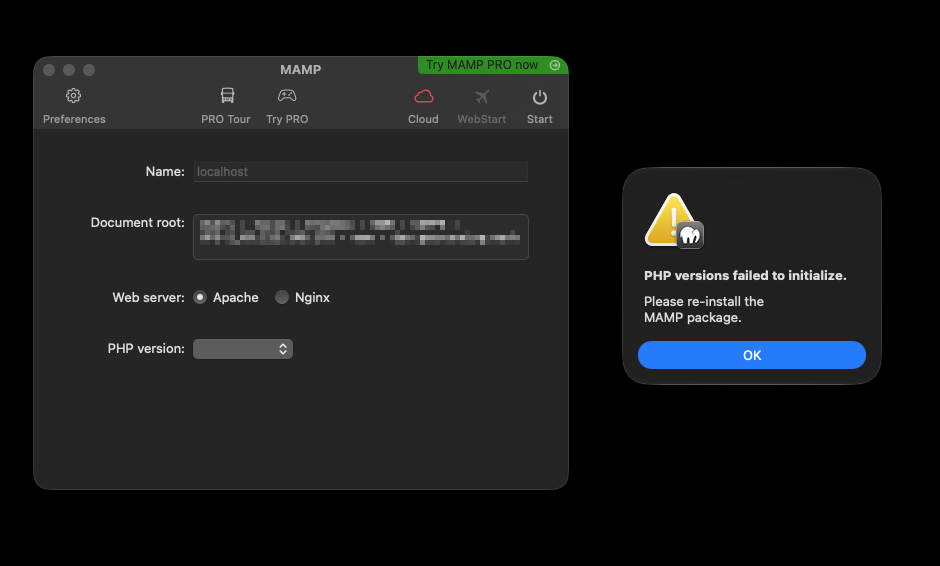
⑤ Start MAMP and in Preferences, enable PHP. 8.3.30Confirm that the version selected for your environment is selected. Start Apache.
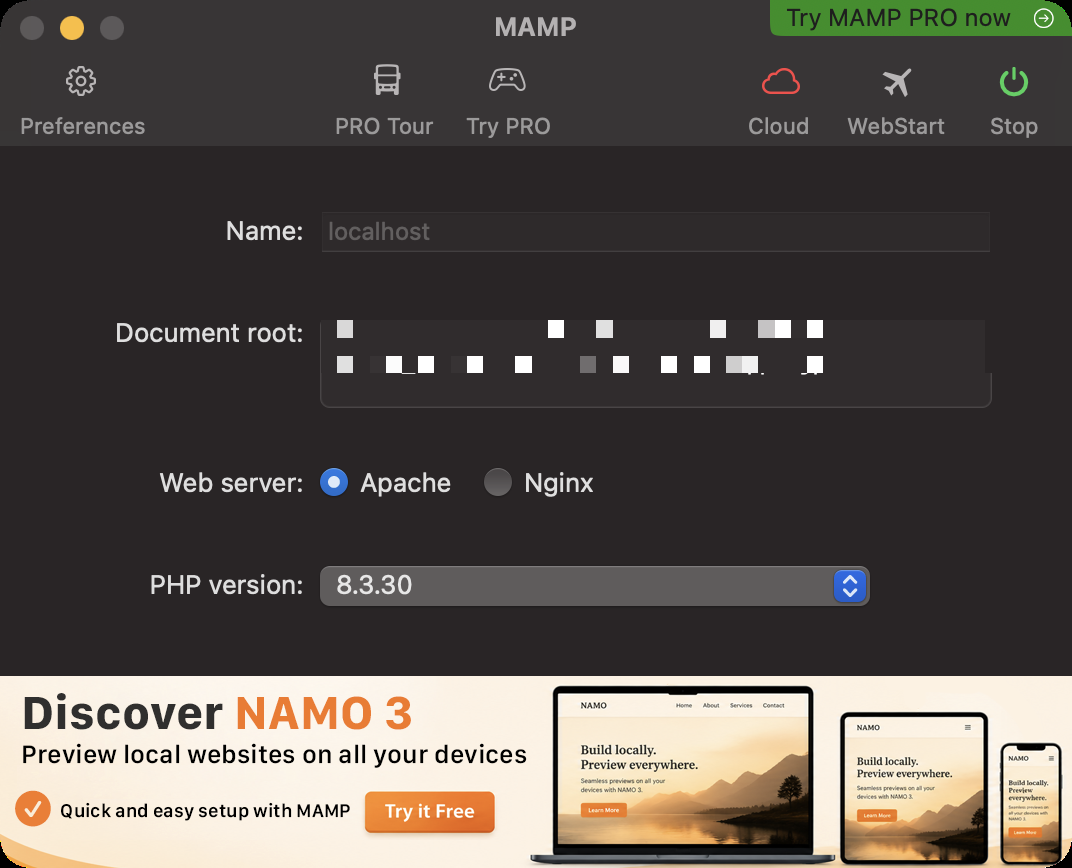
⑥ Check the version of the actual file.
$ /Applications/MAMP/bin/php/php8.3.30/bin/php -v
PHP 8.5.12 (cli) ...
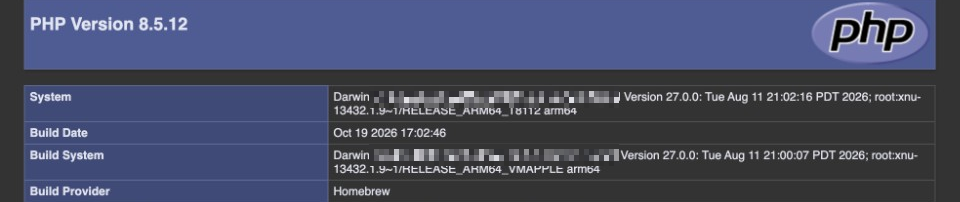
Alternatively, in the document root phpinfo.php Place it and open it in your browser.
<?php phpinfo();
PHP Version is 8.5.12 Then it was a success. The reason the UI display and the actual contents don't match is because the free MAMP compares the server-side allow list with the folder name.
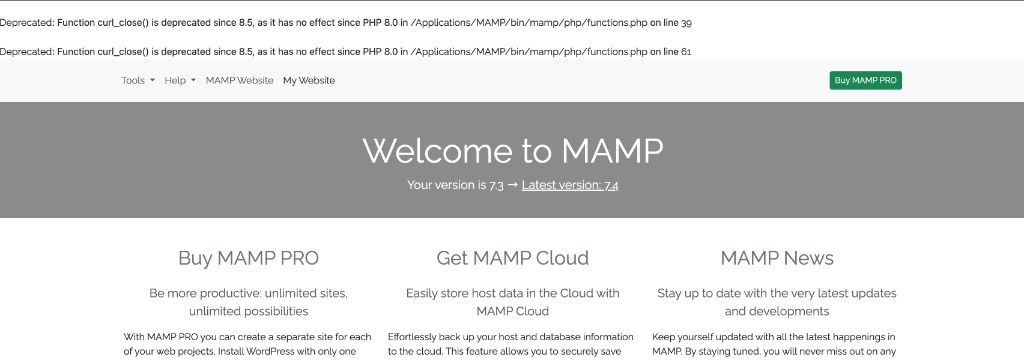
⑦ The MAMP start page may sometimes display deprecated warnings due to outdated code (e.g., curl_close()This is also proof that it's running on PHP 8.5. If it bothers you, you can either fix the relevant part or simply avoid opening the start page.
5. Final Checklist
$ node -v
# => v24.22.1 以上

$ brew list --versions brotli
# => brotli 1.2.1

$ php -v
# => PHP 8.5.12(Homebrew)

$ php -i | grep upload_progress.enabled
# => Off => Off

$ /Applications/MAMP/bin/php/php8.3.30/bin/php -v
# => PHP 8.5.12
After starting MAMP, also verify that the version is 8.5.12 in your browser's phpinfo.
Supplementary notes/notes
- libbrotli on the public server Even if the distribution hasn't fixed it yet, the risk of actual harm via the public Drupal route is often low if there are no Nodes or similar.
dnf updateSometimes, simply adding it is sufficient. - When I update the MAMP app, the symbolic links I replaced disappear.Sometimes this happens. After the update, repeat steps ③ through ⑥.
- Homebrew PHP may be missing some extensions included with MAMP (such as the older imagick). Add them as needed.
- If you want the UI to display version 8.5.12 in the free version, you will need the additional PHP features of MAMP PRO.
- Do not use PHP 7.x, which is at end of life. Do not select it even if it remains in the startup options.
That's all. The Brotli CVE was a good opportunity to take stock of even the local PHP I don't usually touch. I want to be more mindful of the version of the bundled runtime, especially on development machines that I send externally using ngrok.