

I use a 15-inch MacBook Pro as my work PC. It's high-spec and incredibly useful.

What I like most about the MBP15 is that, despite being a 15-inch class laptop, it offers a large workspace on the display. The fact that it can output 1920 x 1200 pixels even with the default scaling resolution is very convenient. Also, although 1920 x 1200 pixels isn't a Retina-optimized resolution, the display is incredibly sharp.
However, the actual maximum resolution of the MBP15 is 2880 x 1800 pixels. This can be achieved by outputting to an external monitor that supports 2880 x 1800 pixels, but it cannot be set on the built-in monitor via "System Preferences > Display Preferences".
I had been interested in this 2880 x 1800 pixel resolution from the beginning, but about a month ago I found an interesting application.
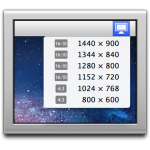
Get your Display Menu back for OS X Mavericks! “Display Menu”
"Display Menu" is an app that lets you instantly change the resolution by selecting it from the menu bar.
This app supposedly allows you to achieve the maximum resolution of 2880 x 1800 pixels even on a built-in monitor. I installed it right away, and it's fantastic!

Spacious screen. You can easily work with two browser windows on the left, an editor window next to them, and two terminal windows below that!
Of course, the text becomes smaller, but I personally find it easier to work this way. It's freeware, but if you want to switch back to Retina-optimized resolution display, you have to go to "System Preferences > Display Preferences," which is a bit of a hassle, so I paid 200 yen to upgrade to the Pro version. Now I can change it with a single click from the menu bar.
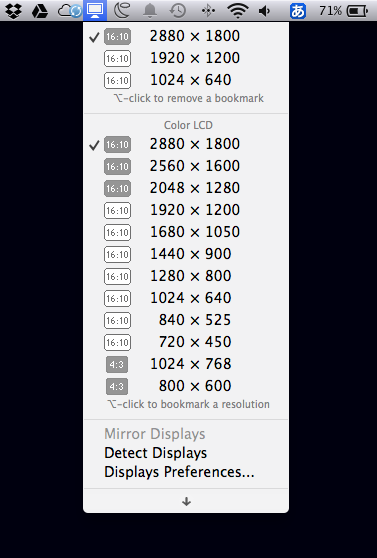 This is incredibly convenient!
Install from here